
PNG, JPEG, or PDF: which screenshot format should you use?
Choose the format around what the recipient needs to do with the capture. Interface feedback, a photo-heavy page, and a multipage reference document have different requirements.
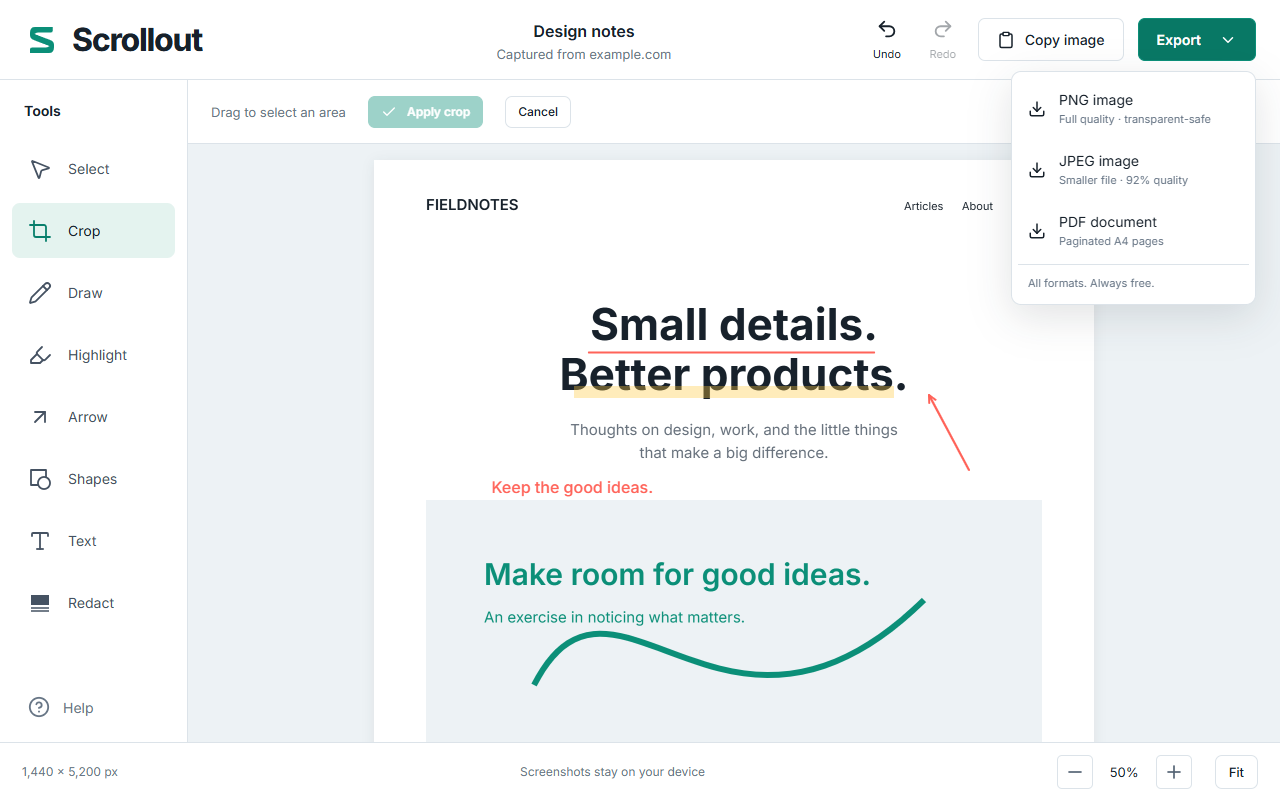
PNG - a useful default for interface text
PNG preserves the rendered image without JPEG-style lossy compression. Start here for small text, charts, interface layouts, and annotations with sharp edges. It is also the format Scrollout writes when you choose Copy image.
A long screenshot can be large, especially when the page contains photographs or textured backgrounds. If an issue tracker rejects the attachment, crop to the relevant area or choose a different format after checking readability.
JPEG - consider it for photo-heavy pages
Scrollout exports JPEG at 92% quality. JPEG can produce smaller files for photographic content, but compression can soften text and introduce artifacts near high-contrast edges. Compare the saved output at the size your recipient will read it.
Avoid repeatedly opening and resaving a JPEG through different editors if you want to minimize further compression. Keep a PNG export when you also need an image for later visual editing.
PDF - a long capture divided into pages
Scrollout lays the screenshot onto A4 pages. PDF is useful when a recipient expects a document they can page through or print. A long screenshot can span multiple PDF pages, so review the page breaks before sending.
This is an image-based PDF of the screenshot. Do not expect selectable article text, clickable page links, reflow, or accessible document structure. If those are important, the website’s own print view or a properly authored document may be more suitable.
Why large image exports become a ZIP
To bound canvas memory use, Scrollout limits an individual export canvas to 16,384 pixels per edge and 32 megapixels. When an image exceeds those limits, PNG or JPEG output is split into numbered parts in one ZIP.
The included parts.json records each part’s position. Extract the archive before viewing or attaching the images. PDF is paginated separately. Oversized clipboard images cannot be copied as one giant canvas; export them instead.
A quick export checklist
- UI bug or text annotation: try PNG and inspect it at full size.
- Photo-heavy page: compare JPEG readability and file size with PNG.
- Document handoff: try PDF and check every page break.
- One small image in a message: Copy image can avoid a separate attachment step.
- Very long capture: expect numbered parts and explain their order to the recipient.
FarFlash Group Ltd. makes Scrollout. All these exports are free and generated locally. Save what you need before closing the last temporary editor, and check redactions in the final output before sharing.